
Client story · Tecnoimagen
Tecnoimagen's catalogue moved to HubSpot, with a page for every product
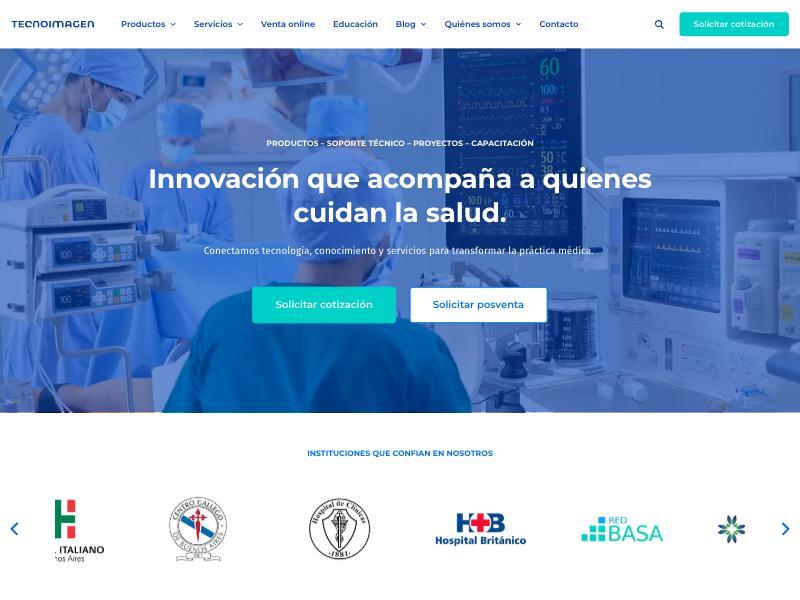
Tecnoimagen sells medical, aesthetic and veterinary equipment in Argentina. Their team had started moving to HubSpot on GrowBig, but needed a product catalogue built on HubDB that worked well on phones. I designed and built it, and trained their team. It went live on 30 April 2026.
- 1 tablefeeds every product page
- 3 blogson one listing page
- 9 weeksfrom start to launch
- 2 phaseswebsite first, then search
- CLIENT
- Tecnoimagen, Argentina. Medical, aesthetic and veterinary equipment.
- TEAM
- Their design team: brand, icons, copy, products, extra pages. Me: Figma design, HubDB catalogue, templates, training.
- WHAT I BUILT
- Product listing, category and product pages from one data table; 3 blogs on one listing; Spanish system pages; brand search
- TIME
- About 9 weeks from start to launch
- LIVE
- 30 April 2026
01 · Before
The situation
“We are in the process of migrating our website www.tecnoimagen.com.ar to the HubSpot platform, and we would like to know if you could support us during this process.”
A catalogue, not just pages
Each product needed its own page: brand, description, up to 8 images or videos, a brochure and a request-a-quote button.
Visitors on phones
Inés: “most of our visitors use the mobile version”. The catalogue had to work there first.
Products that keep changing
Their team adds and updates products all the time, without a developer.
Spanish everywhere
Argentine Spanish on every page, including HubSpot's system pages.
“The goal is to adapt the existing content—both visually and functionally—while maintaining the overall logic we currently use, but optimizing it from a technical, visual, and strategic standpoint.”
02 · Conditions
Who did what, and the rules we agreed
Their side
Tecnoimagen
Brand guidelines, icons, copy, uploading products, and building their own extra pages
Build
Me
Figma design, the HubDB catalogue, page and blog templates, launch help, training
- A fixed price for the priority pages, agreed on 20 February
- Design reviewed with comments right in Figma
- A simple two-level menu, easier on phones
- Search as a separate second phase, once the site was live
03 · Step by step
How it happened
About nine weeks from the go-ahead to launch.
27 Jan 2026
A request for help
Their team was moving to HubSpot and asked me to help.
13 Feb
Discovery call
Pages, products and what mattered most.
20 Feb
Scope agreed
The priority pages first; search later.
6 Mar
Design in Figma
Inés, 11 March: “We really liked the work you've done! It feels much more organized and clearer for users.”
10 Apr
Delivered
Templates and catalogue, with training videos.
13–27 Apr
Their team fills it
Products uploaded and extra pages built by Tecnoimagen.
30 Apr
Live
Domain connected and launched.
04 · Along the way
Problems solved on the way
Most answers went out as short videos the team could replay.
Two bugs before launch
A form button and an image problem, both fixed in three days. Inés: “both issues are working perfectly now”.
Launch-day surprises
A reversed menu and a missing homepage after the domain switch. I walked them through the domain settings.
Product pages in July
Some Medical IT product pages showed an error. Fixed on 28 July.
05 · After launch
The result
“We received very positive feedback on the website. Thank you as well for your recommendations”
“Everything went very well - I was able to update the blog pages successfully.”
What their team does on its own now
- They add and update products in the HubDB table
- They build their own pages, like Projects, After-sales and Education
- They run three blogs on one listing
06 · Phase two
Phase two: finding products by brand
After launch, Tecnoimagen asked for a way to find products faster.
9 Jun 2026
The request
Search across brands, categories and models.
21 Jul
Narrowed to what matters
Search by brand first.
24 Jul
A simpler sidebar
A switch in the data table to hide brand subcategories.
2 Sep
Delivered
Explained in a short video.
Brand search
Visitors find every product of a brand in one step.
A tidy sidebar
Brand subcategories can be hidden with one switch in HubDB.
07 · Lessons
What made it work
Priorities first
The pages that mattered most went live first; search came after.
One table, every product
A HubDB table feeds all product pages, so the team updates data, not pages.
Advice, not only tasks
When a request would hurt the site, I said so and offered a better way.
More client stories
Website · with an agency
Agate Sensors
A website in four weeks, before the funding news.
Read the Agate Sensors story →Start
Have a catalogue to move to HubSpot?
I build catalogues on HubDB that your team keeps up alone. Free review first, then a fixed price. I reply within 24 hours on workdays, often sooner.
> send ⎿ received
Thanks, your message is on its way.
I reply within 24 hours on workdays, often sooner, with a fixed price or a few questions.